Free. Mac, Windows, Linux and Android.
APPS
Two apps I built for myself and use every day. One gets me off the screen for salah. The other keeps me on my course when I sit down to study. No account, no subscription.
Let your AI agent do it. Copy a prompt, paste it into Claude Code, Codex or Antigravity, and it downloads, checks and installs the app for you.
On your phone? Agents run on computers, so use the Android download in each app below, or send yourself this page for later.
PrayerLock
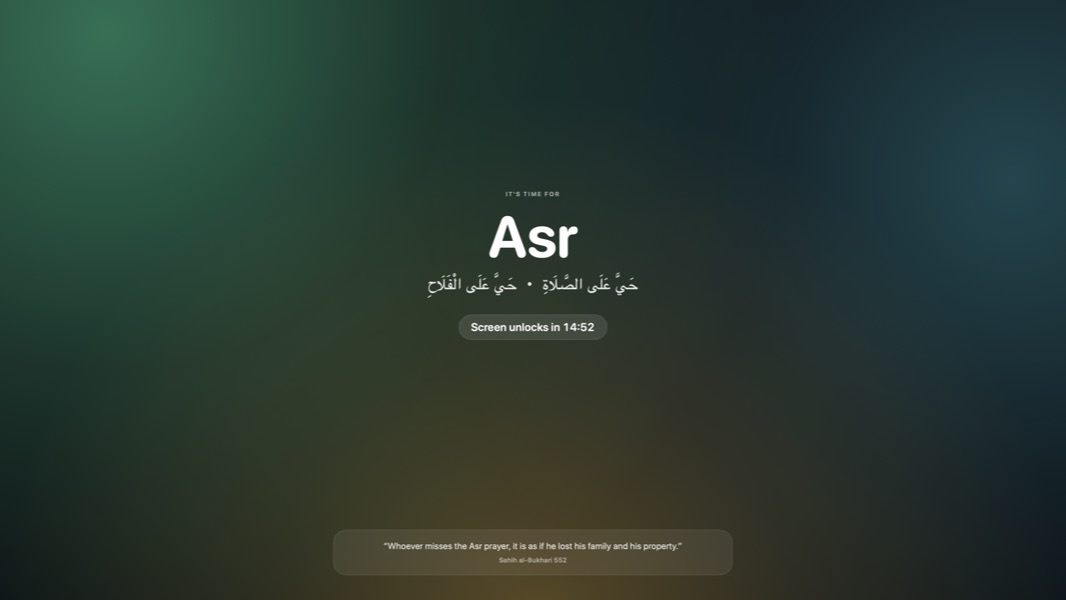
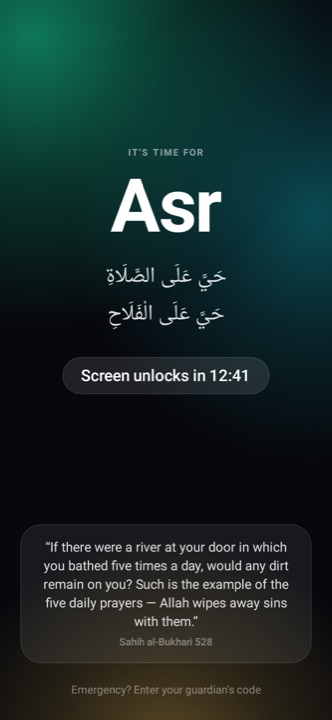
Blacks out your screen at prayer time so you get up and pray.
WHAT CHANGES
SEE IT
EVERYTHING IT DOES
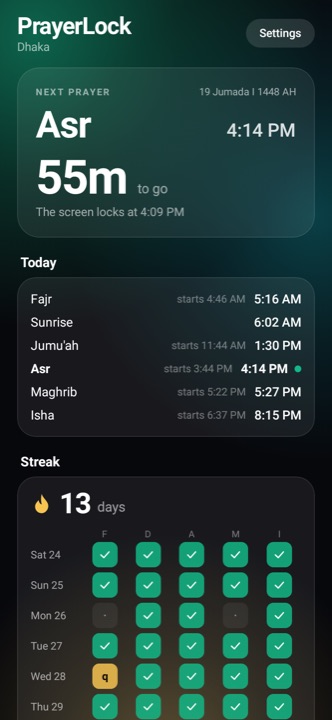
Prayer times
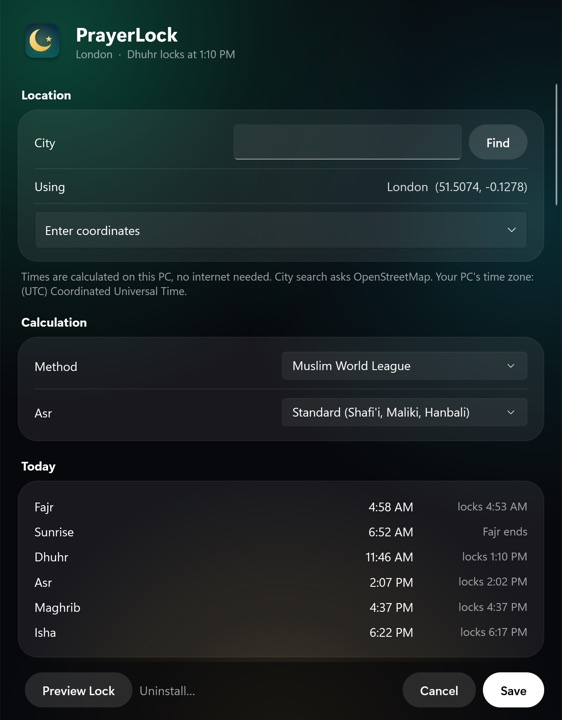
- Any city, with 13 calculation methods including Shia Jafari and Tehran, and Standard or Hanafi Asr.
- Lock at the start time, a few minutes after it, or your mosque's jamaat time, per prayer.
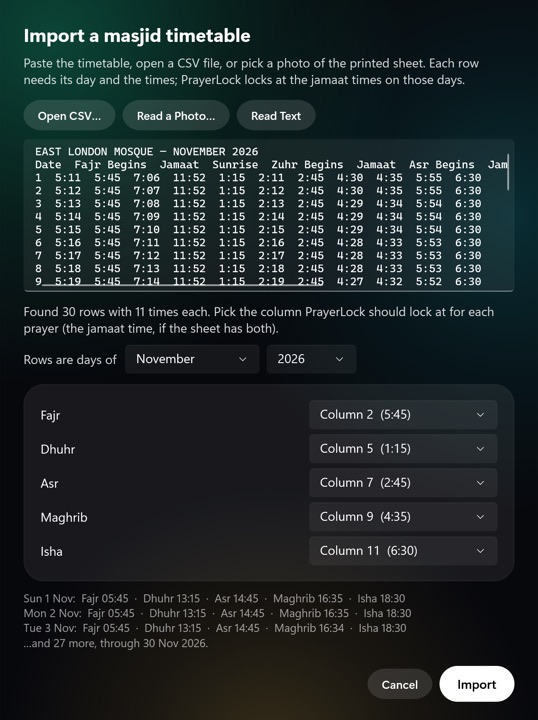
- Your masjid's monthly timetable from pasted text, a CSV file or a photo.
- Jumu'ah on Fridays with a longer lock, the Hijri date, and Ramadan suhoor and iftar times.
The lock
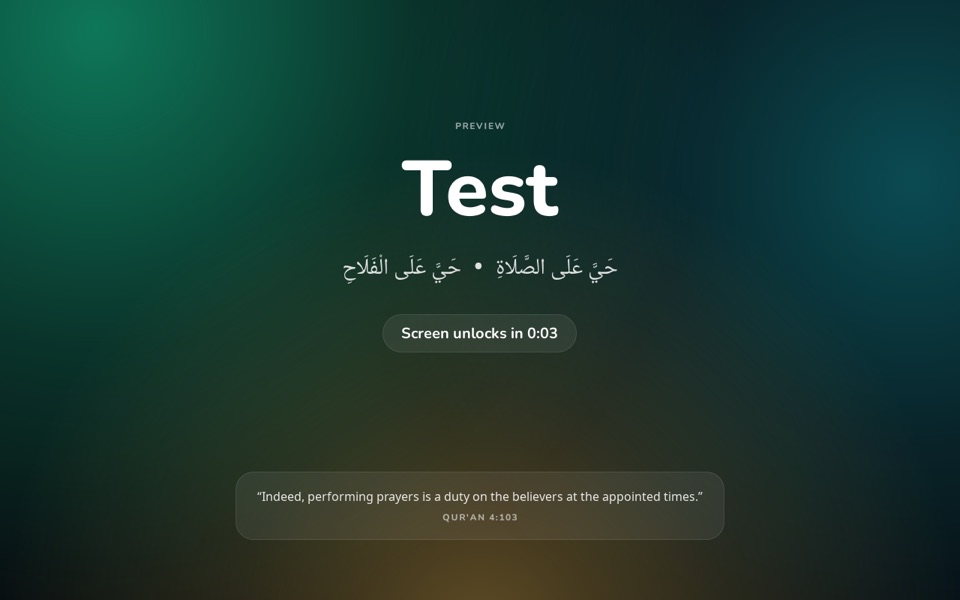
- Every screen, for as long as you choose, starting a few minutes before the prayer if you like.
- Reminders 20, 10, 5 and 2 minutes before, each with an ayah or authentic hadith and its exact reference.
- The adhan of your choice when the lock starts, and a warning before Fajr ends.
- Optional: ask "Did you pray?" afterwards, and a guardian code for real emergencies.
Real life
- Waits for your call to end instead of blacking out a meeting.
- Pause for travel or illness, or I'm Travelling with optional combining of prayers.
- I'm Excused keeps your streak, and Mark as Prayed or Qada counts prayers kept elsewhere.
- A daily streak, a weekly report, and your full history as a spreadsheet.
The same on Mac, Windows, Linux and Android, except where a system doesn't allow something; see the questions below.
Once a lock starts there's no way out. Switching apps and force-quitting are switched off until it ends, unless you've given someone you trust an emergency code.
Or download it yourself:
Prefer a terminal? Paste one command instead of downloading.
SHA-256
Mac 5d1cdc78a585451979d60ded6102b0f4d5a764249676d68e3132d3e433dccebc
Windows 4a880a4919b99e439e44e9cd104bc9efc1f532b2ff650b29369e9de61ee211b8
Linux dd21b168d7c4c1d935d96a924711cdc22230d81bcaf47b17a67e10512235a669
Android 3b579a10d55a7cf8c785649298a79d64467f57966a1e8a901d59f19a5f0a8e01
StudyLock
Locks you in to your study apps and sites for a set time.
WHAT CHANGES
SEE IT
EVERYTHING IT DOES
Sessions
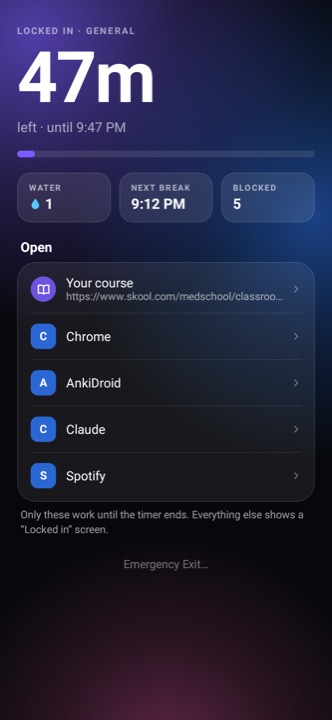
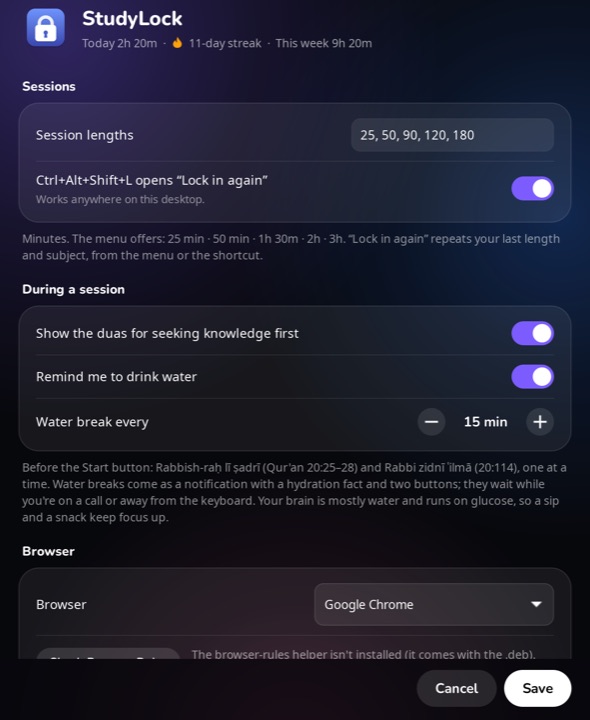
- 25 minutes to 3 hours, lock in again with one shortcut, or scheduled sessions that start by themselves.
- A separate setup per subject, each with its own sites, apps and course page.
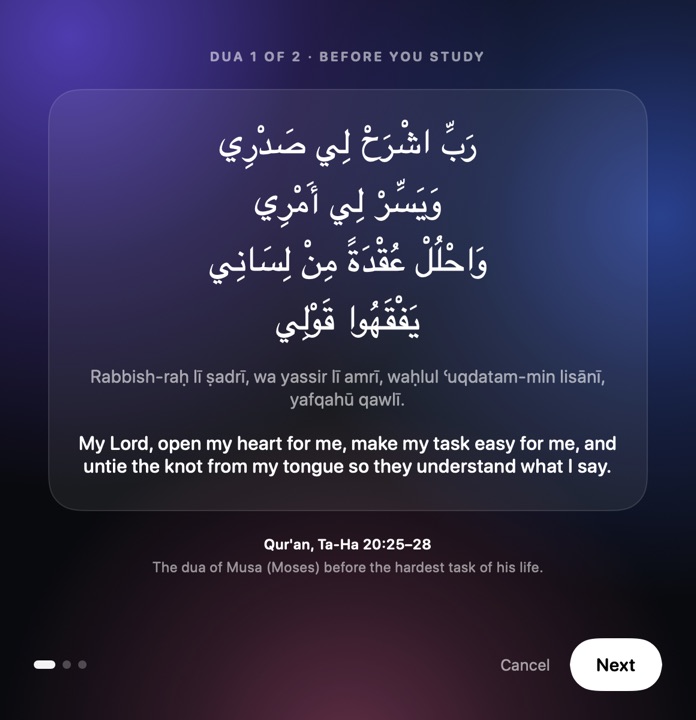
- Opens with Rabbish-raḥ lī ṣadrī and Rabbi zidnī ʿilmā, in Arabic with transliteration and meaning.
What stays out
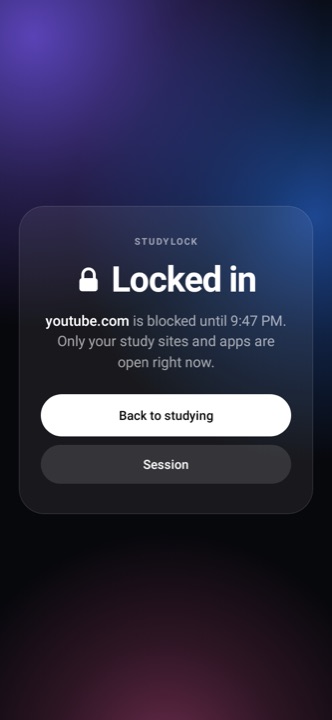
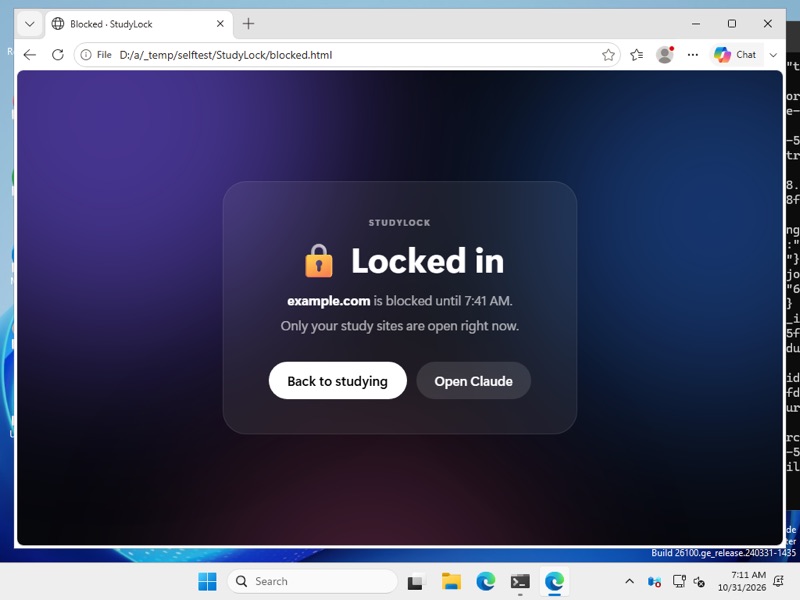
- Keeps your browser on the sites you allow: Edge, Chrome, Brave, Vivaldi or Safari on a Mac, and Firefox too on Windows, Linux and Android.
- YouTube lecture mode: paste a playlist and only those videos play.
- Quits or silences WhatsApp, Slack, Discord and other chat apps, and keeps everything else out of the way.
- No early exit. Only a guardian's code can end a session, and then only the minutes studied count.
Keeping it up
- Water breaks every 15 minutes or your own interval, with a cited fact on why your brain needs it.
- A streak that allows one rest day a week, and minutes per subject.
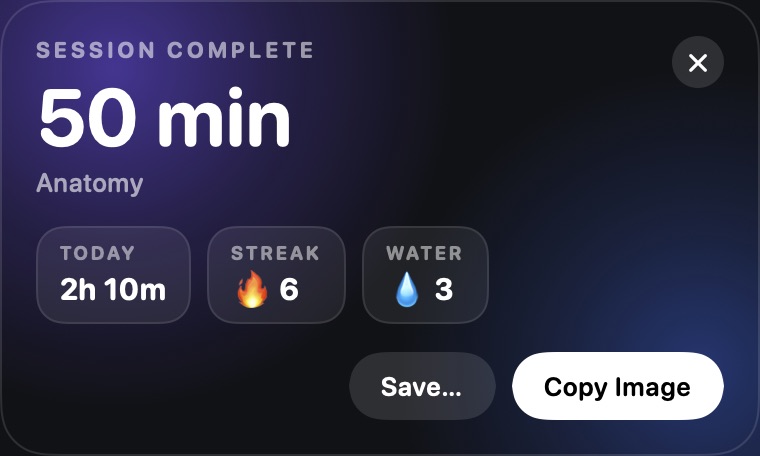
- Study rooms with friends, a shareable card after each session, and your history as a spreadsheet.
The same on Mac, Windows, Linux and Android, except where a system doesn't allow something; see the questions below.
There's no early exit. Kill it or restart your computer or phone and the session picks up where it left off. Only a guardian's code can end it, if you set one up.
Or download it yourself:
Prefer a terminal? Paste one command instead of downloading.
SHA-256
Mac e3fc2220aec6dca42c1a1329ec037826a91260a2dd8403be84eb2c0376a11534
Windows 9be64bfe0d0eb8f5c386527c0dcba553b0339ca4a9533436eb814bf0296ac17f
Linux f5e16da54bc9e40f6f9552032e83905eaa7e1e935a62c4d591d1d787ae59e4f1
Android d86bc2983ca48cfa9c05331b0da48671904a2bd56bfa52fe377f9ba1f40ee445
How they compare
Most prayer apps remind you. Most blockers let you quit, or charge for the mode where you can't. Here's how PrayerLock and StudyLock sit next to the apps people usually try first.
PrayerLock vs other prayer apps
| PRAYERLOCK | MUSLIM PRO | ATHAN (ISLAMICFINDER) | FIVEPRAYER | AQIMO | |
|---|---|---|---|---|---|
| At prayer time | Locks every screen until the lock ends | Adhan notification | Adhan alarm | Locks the phone; you can dismiss it with "I've prayed" or snooze 10 min | Locks the apps you pick until you tap that you prayed |
| Price | Free | Free; Premium $34.99/yr | Free; Premium $11.99/yr | Free; a Pro subscription is listed on the App Store | Free; a Pro subscription is listed on the App Store |
| Ads | None | Yes, in the free version | Yes, in the free version | None | Yes |
| Account | None | — | — | None | None |
| Works offline | Yes | — | — | Yes | Yes, after setup |
| Runs on | Mac, Windows, Linux, Android | iPhone, Android, Mac (iPad app) | iPhone, Android | iPhone, Android | iPhone, Android |
PrayerLock also waits for your calls to end, and locks at your mosque's jamaat times or an imported masjid timetable.
StudyLock vs other focus apps
| STUDYLOCK | OPAL | FREEDOM | COLD TURKEY | SELFCONTROL | FOREST | |
|---|---|---|---|---|---|---|
| Can't end early | Yes, free | Pro only | Premium only | Yes; Pro has every lock option | Yes, free | No, Give Up ends it |
| Only your sites and apps | Sites and apps | Pro only | Sites, on Mac and Windows | Sites; apps need a separate product | Sites only | Apps; your own list needs Plus |
| Price | Free | Free tier; Pro $99.99/yr | Free tier; Premium $8.99/mo | Free; Pro $45 once | Free | Free with ads; Plus $35.99/yr |
| Account | None | Yes, for the Mac app | Yes | — | — | — |
| Runs on | Mac, Windows, Linux, Android | Mac, iPhone, Android | Mac, Windows, iPhone, Android, Chromebook | Mac, Windows | Mac | iPhone, Android, browser extension |
StudyLock also opens each session with the duas for seeking knowledge, and has water breaks, YouTube playlist mode and study rooms built in.
Prices and features are from each app's own site and its US App Store or Google Play listing, checked on 31 October 2026, and may have changed since. — means I couldn't confirm it. If something here is out of date, tell me and I'll fix it.
Install
Easiest: let your AI agent install it
Copy the prompt for the app you want and paste it into Claude Code, Codex, Antigravity or any coding agent on your computer. It reads the short installer first and tells you what it will do. Then it downloads the app from this site, checks it's exactly the file published here, and installs it. There's no "can't verify this app" warning to click through, and most agents ask before running each command.
Install PrayerLock on this computer for me. It's a free app from https://apps.abrarzahin.com/ that locks my screen at prayer time so I get up and pray.

1. Check whether this computer is a Mac, Linux or Windows.
2. Download the installer script and read it first, then tell me in two or three lines what it will do:
   - Mac or Linux: https://apps.abrarzahin.com/prayerlock.sh
   - Windows: https://apps.abrarzahin.com/prayerlock.ps1
3. Run it:
   - Mac or Linux: curl -fsSL https://apps.abrarzahin.com/prayerlock.sh | bash
   - Windows, in PowerShell: irm https://apps.abrarzahin.com/prayerlock.ps1 | iex
4. If a step needs my password (Linux asks for sudo) or you aren't allowed to run it, stop and give me the exact command to paste into my own terminal.
5. When it's done, tell me where it was installed and that I finish setup in the window that opens.
Install StudyLock on this computer for me. It's a free app from https://apps.abrarzahin.com/ that locks me in to my study sites and apps for a set time.

1. Check whether this computer is a Mac, Linux or Windows.
2. Download the installer script and read it first, then tell me in two or three lines what it will do:
   - Mac or Linux: https://apps.abrarzahin.com/studylock.sh
   - Windows: https://apps.abrarzahin.com/studylock.ps1
3. Run it:
   - Mac or Linux: curl -fsSL https://apps.abrarzahin.com/studylock.sh | bash
   - Windows, in PowerShell: irm https://apps.abrarzahin.com/studylock.ps1 | iex
4. If a step needs my password (Linux asks for sudo) or you aren't allowed to run it, stop and give me the exact command to paste into my own terminal.
5. When it's done, tell me where it was installed and that I finish setup in the window that opens.
On a phone? Agents run on computers, so use the Android download button instead.
Or paste one command yourself
Paste one line into Terminal on a Mac or Linux, or PowerShell on Windows. It downloads the same file as the buttons above, checks it's exactly the file published here, installs it and opens it. Because the download doesn't go through a browser, there's no "can't verify this app" warning to click through.
curl -fsSL https://apps.abrarzahin.com/prayerlock.sh | bashirm https://apps.abrarzahin.com/prayerlock.ps1 | iexcurl -fsSL https://apps.abrarzahin.com/studylock.sh | bashirm https://apps.abrarzahin.com/studylock.ps1 | iexWant to read it first? Open prayerlock.sh, prayerlock.ps1, studylock.sh or studylock.ps1. Each is short and explains every step. On Linux it asks for your password once, for apt. On Android, use the download button above.
Mac, from the download button
- Open the .dmg and drag the app onto the Applications folder.
- Open it from Applications. macOS says Apple "could not verify" it, because these apps aren't notarized by Apple yet. Click Done, not Move to Trash.
- Open System Settings → Privacy & Security and scroll to the very bottom. Next to "PrayerLock was blocked" (or StudyLock), click Open Anyway, enter your Mac's password, then click Open Anyway once more. You only do this once. Right-click → Open no longer works on macOS 15 and later.
- A setup window opens. Pick your city in PrayerLock, or your browser, sites and apps in StudyLock, then save.
The app lives in your menu bar and starts by itself when you log in. To update, run the one-line command again, or download the new version and drag it over the old one.
Windows, from the download button
- Open the downloaded Setup file.
- Windows SmartScreen will say it protected your PC, because the installer isn't signed with a paid certificate yet. Click More info, then Run anyway.
- Click through the installer. It installs for your account only, no admin password needed.
- The setup window opens. Pick your city or your study sites and apps, then save.
The app lives in the system tray by the clock and starts when you sign in. To update, run the new Setup file over the old one.
Linux, from the download button
- Open a terminal in your Downloads folder and run
sudo apt install ./prayerlock_amd64.deb(or./studylock_amd64.deb). - Open the app from your app launcher, set it up and save. It starts by itself when you log in from then on.
- PrayerLock: click Preview Lock once. GNOME asks whether to let it capture keyboard shortcuts during a lock; choose Allow.
The icon sits in the top bar on Ubuntu and KDE. On plain GNOME, add the "AppIndicator and KStatusNotifierItem Support" extension to see it.
Android
- Open the downloaded .apk. Android asks you to allow installs from your browser or Files app; allow it once.
- Open the app. It walks you through each permission and says why it needs it.
- On Android 13 or later, turning on the accessibility permission may say Restricted setting, because the app isn't from the Play Store. Open App info, tap ⋮ in the corner, choose Allow restricted settings, then turn it on.
To update, open the newer .apk and it installs over the old one, keeping your history.
Privacy
Both apps run on your own device. There's no account and no tracking. PrayerLock calculates prayer times offline. City search uses Apple's map service on a Mac and OpenStreetMap elsewhere, and the optional travel mode looks up your rough location online. StudyLock checks which site your browser is on, on your device only: on a Mac by asking the browser, on Windows and Android through the accessibility features, and on Linux by setting the browser's own site rules. Two things are optional and off until you turn them on: PrayerLock can add prayer times to your calendar, and a StudyLock study room shares your display name, whether you're in a session and when it ends, and today's minutes with the friends in that room, through abrarzahin.com.
Questions
- Can I end a lock or a session early?
- Not by yourself, that's the point. For real emergencies you can give someone you trust a guardian code in their authenticator app. If you're travelling or unwell, PrayerLock's menu has Pause Locks and I'm Excused, which work any time except during a lock.
- What if a prayer time lands in the middle of a call?
- PrayerLock waits while you're on a call, then locks as soon as it ends, up to 20 minutes later.
- How do I uninstall it?
- On a Mac, Windows or Linux, open the app's Settings and click Uninstall (on Linux, then run
sudo apt remove prayerlockorstudylock). On Android, uninstall it like any app. All of this is switched off during a lock or session on purpose. - Why can't I use Firefox or Arc with StudyLock on a Mac?
- On a Mac they don't let other apps see which sites their tabs are on, so StudyLock hides them during a session like any other app. On Windows, Linux and Android, Firefox works.
- Is it safe to let an AI agent install it?
- The prompt asks the agent to read the installer and tell you what it does before running it. The installer is a short script on this site: it only downloads from here, checks the file's SHA-256 fingerprint, and installs the app the same way the download buttons do. Most agents ask before running a command, so you stay in control.
- Is the one-command install safe?
- It only downloads from this site, checks that the file's SHA-256 fingerprint matches the one published here, and installs it the same way the download buttons do. Nothing else on your computer changes, and you can read the script before running it.
- Is it the same on every platform?
- Nearly. Each system allows slightly different things: on Windows a killed app comes back within a minute rather than seconds, Android silences chat apps instead of quitting them, and Linux blocks sites with the browser's own "blocked by your administrator" page.
- iPhone?
- Not yet.